Intent Not Recognized Flow
We recommend you to create, configure and activate an Intent not found flow. This flow is particularly useful when the intent is not recognized, i.e., the score given by the NLP engine analysis is lower than the TargetMatchScore set in AI Agent Designer and the AI Agent does not know what to do, which flow to choose. In case the intent is not matched, the AI Agent will choose the Intent not found flow.
Using the Flow Designer, create and configure the flow to perform the following checks and actions:
- If there is minimum one flow resembling user’s intent, the AI Agent calls this flow.
- If there are two or more similar intents matched, the AI Agent tells the user that there are more options for user’s intent.
- If there is no intent matched (the user’s utterance is registered as unknown phrase), the AI Agent sends an e-mail to the AI Agent administrators so that they can improve the AI Agent by adding new training phrases or new flows.
- If there is a single match or multiple matches, predict in the Knowledge Base Engine and decide using conditions if you want the AI Agent to reply the user only with the matches from the AI Agent model, only the matches from the Knowledge Base or both. For example, the figure below shows how to author the Intent not found flow to reply the user with both multiple matches from the AI Agent model and matches from the Knowledge Base.
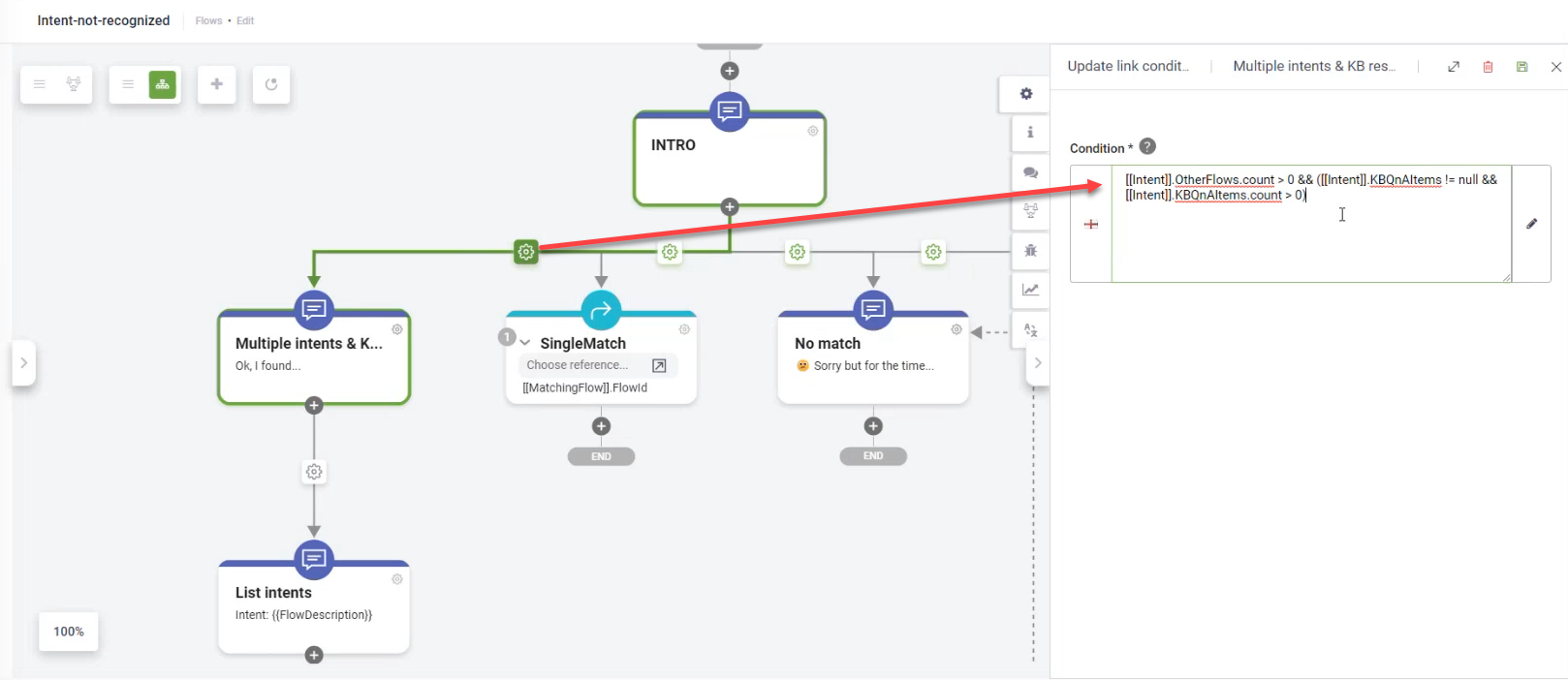
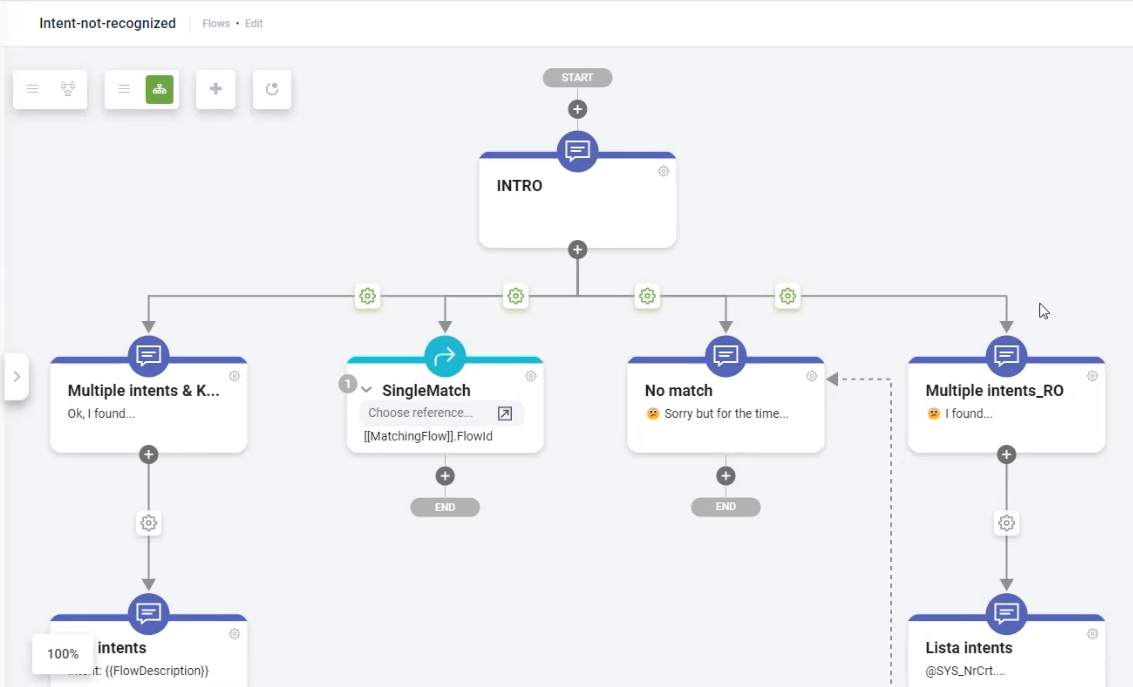
In order for the Intent-not-recognized flow to be called by the AI Agent whenever the case, go to the AI Agent details and in the Dialogue management section, from the Intent not found flow drop-down, select the Intent-not-recognized flow created using the Flow Designer.
 Related Topics